Building MFA from Scratch in PHP
Every WordPress MFA plugin I tried was either bloated, unreliable, or dependent on external services. So I built one from scratch, pure PHP, zero dependencies, RFC 6238 compliant.
The TOTP Engine
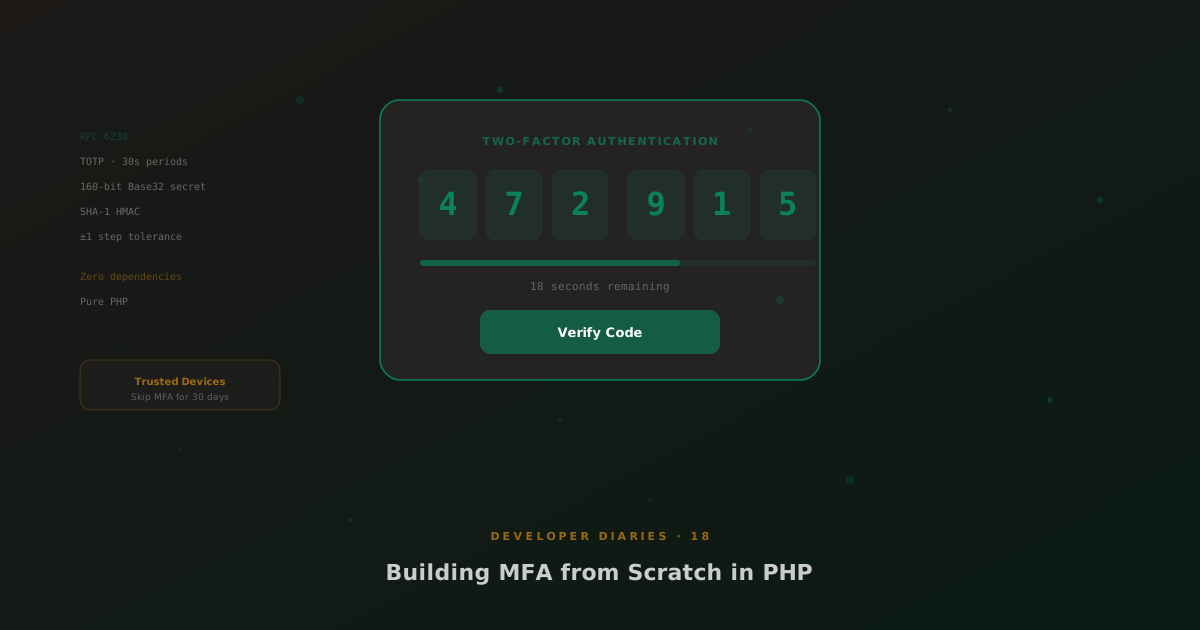
TOTP (Time-based One-Time Password) is defined in RFC 6238. The algorithm is surprisingly simple: take a shared secret, divide the current Unix timestamp by 30 (the time step), HMAC-SHA1 the result, and extract a 6-digit code via dynamic truncation. The secret is 160-bit Base32-encoded, compatible with every authenticator app.
The implementation is a single PHP class with no external dependencies. No Composer packages, no PHP extensions beyond the standard library. It generates secrets, produces QR code URIs for authenticator setup, and verifies codes with a configurable time-window tolerance (±1 step by default, meaning a code is valid for 90 seconds total).
Trusted Devices
Nobody wants to enter a TOTP code every time they log in from the same laptop. Trusted devices are stored as hashed browser fingerprints in user meta. When you verify MFA and check “trust this device”, the browser gets a cookie that maps to the stored fingerprint. Trusted status lasts 30 days by default.
Per-Role Enforcement
Administrators might require MFA while subscribers don’t. The enforcement settings let you require MFA per WordPress role, with a configurable grace period, users get N days to set up MFA before they’re locked out. During the grace period, they see a persistent reminder but can still access the admin.
MSP Hub Integration
When both MFA and MSP Hub are active, MFA challenges appear on the branded MSP login page instead of wp-login.php. The ajt_mfa_redirect_url filter is the integration point, MSP Hub’s msp-mfa.php module intercepts the redirect so customers see the MFA challenge in the branded portal context.