The Command Palette & Spotlight Search
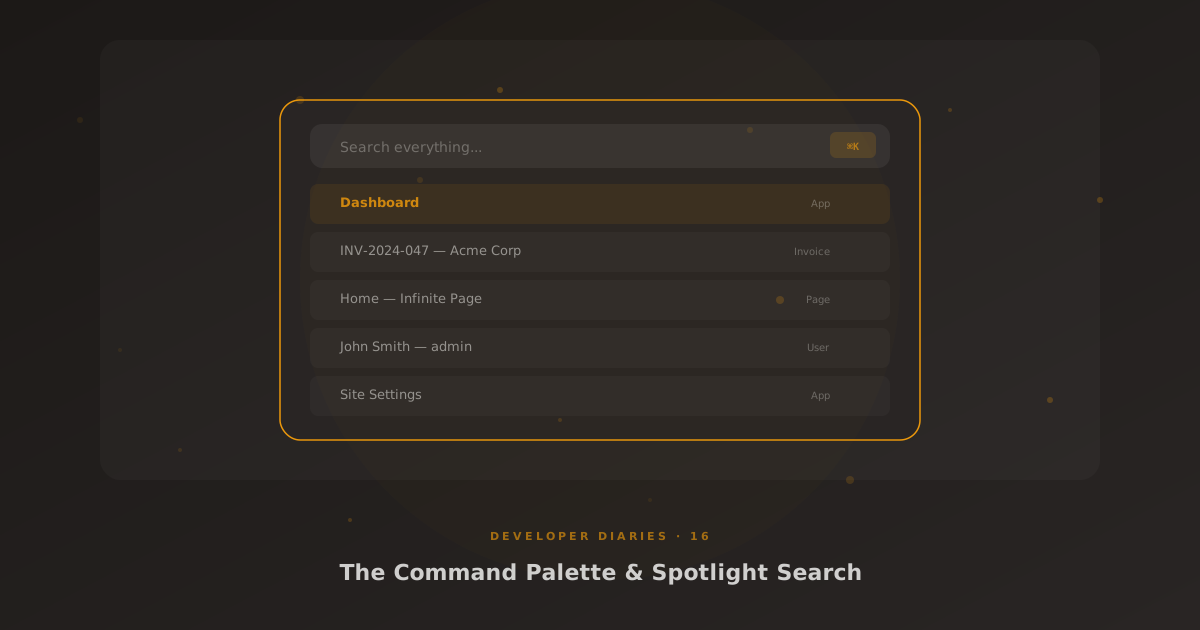
Ctrl+K. That’s it. That’s how you search everything in Glass, apps, pages, invoices, users, tickets, settings. One keystroke, one search box, instant results.
The Provider API
Spotlight search is powered by a provider registry. Each AJT plugin registers a search provider that returns results for a given query. Stripe Pro registers an invoice provider, a customer provider, and a subscription provider. MSP Hub registers ticket and contract providers. Glass registers apps, pages, and users.
Each provider returns results as structured objects: title, icon, URL (built with glass_url()), category label, and optional metadata. The search UI groups results by category and ranks them by relevance.
Instant Navigation
The killer feature isn’t search, it’s navigation. Every registered Glass app appears in Spotlight results. Type “inv” and you’ll see the Invoices app before you’ve finished typing. Hit Enter and you’re there. For power users who know where they’re going, it’s faster than clicking through menus.
Implementation
The frontend is a modal overlay triggered by Ctrl+K (or Cmd+K on Mac). Debounced search fires an AJAX request 200ms after the last keystroke. Results stream in and update the list without a full page reload. Arrow keys navigate the results, Enter opens the selected item, Escape closes the modal.