Teams Integration: Adaptive Cards for MSP Workflows
MSP engineers live in Microsoft Teams. If the Robot can’t reach them there, it’s not reaching them where they work. The Teams integration was built from scratch, named channel registry, twelve Adaptive Card templates, an outgoing webhook bot, and per-workflow channel toggles.
Adaptive Cards
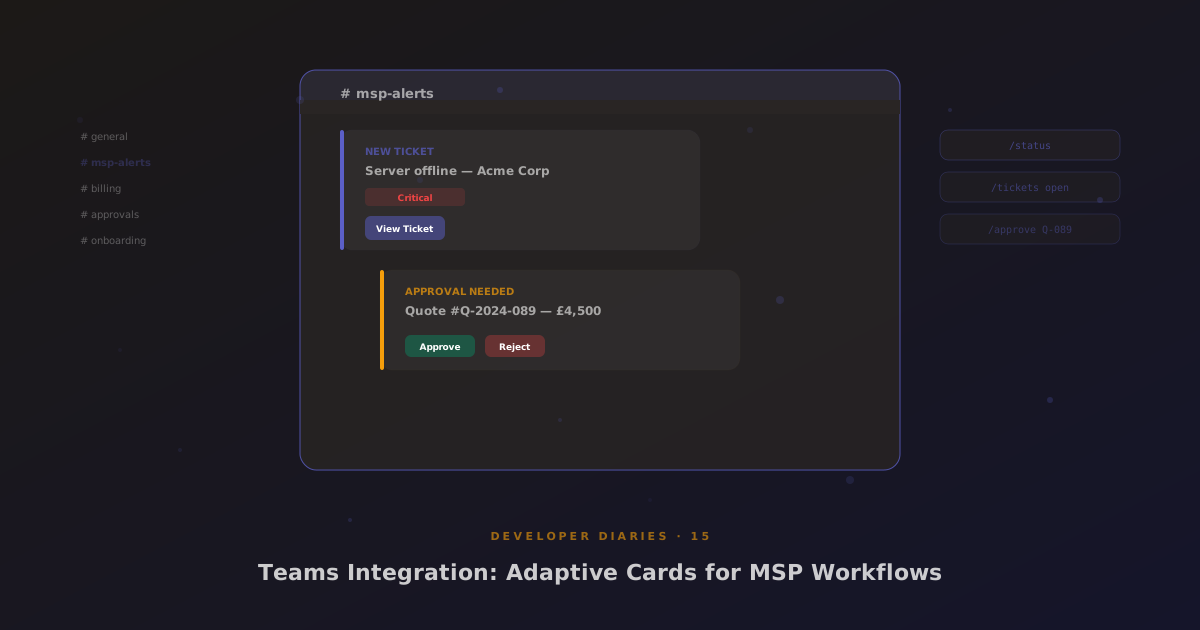
Microsoft deprecated the MessageCard format. Everything now uses Adaptive Cards, a JSON-based card format that supports structured layouts, action buttons, and input fields. We built twelve templates covering the common MSP workflow events: new ticket, ticket escalation, quote approval, invoice overdue, contract expiring, and more.
The send_notification action was upgraded from the old MessageCard envelope to the Adaptive Card envelope format. Each card includes contextual data (ticket number, customer name, amount) and action buttons that link back to the Glass portal.
Named Channel Registry
An admin UI lets you configure named Teams channels, “alerts”, “billing”, “approvals”, “onboarding”. Each channel maps to an Incoming Webhook URL. Workflow events are routed to channels based on the event type, with per-workflow toggles in the Robot’s Canvas topbar.
Outgoing Webhook Bot
The bot endpoint receives commands from Teams and responds with Adaptive Cards. Seven built-in commands: /status, /tickets open, /tickets [number], /invoices overdue, /approve [id], /reject [id], /help. Engineers can manage MSP workflows without leaving Teams.